
アニメーションアプリ
アニメーションアプリ
画像のコマ送りをタイマーで作成してみましょう。コマ画像は6つ程用意しておきます。今回の例では「school-インデックス番号.jpg」としました。
ファイル構成
Timer/
└── images
    ├── school-1.jpg
    ├── school-2.jpg
    ├── school-3.jpg
    ├── school-4.jpg
    ├── school-5.jpg
    └── school-6.jpg
└── src/
    └── school/
        ├── Window.java
        ├── AnimationTask.java
        └── App.java
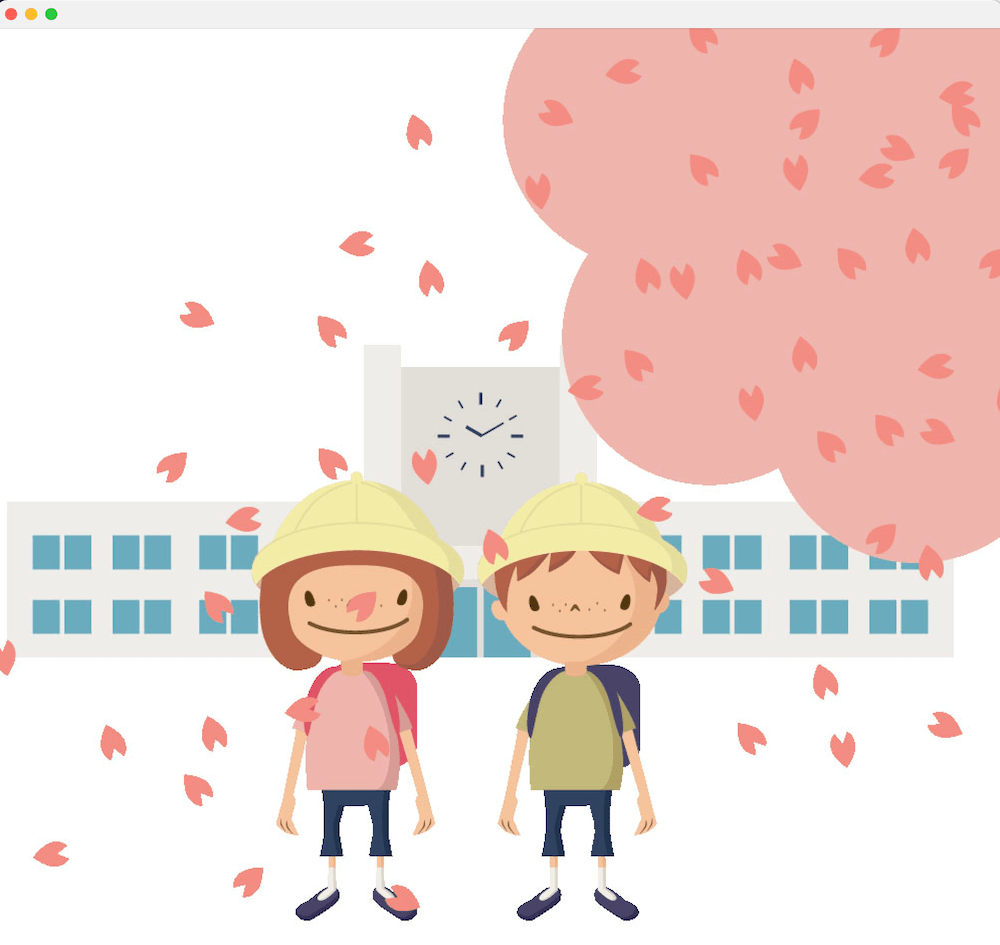
ウィンドウ作成
JFrameを継承したWindowクラスを作成します。また、駒画像に必要なフィールドを用意します。
Window.java
package school;

import java.util.Timer;

import javax.swing.ImageIcon;
import javax.swing.JFrame;
import javax.swing.JLabel;

public class Window extends JFrame {

	public JLabel label;
	public int imageCount = 6;
	public ImageIcon[] images = new ImageIcon[imageCount];
	public int index = 0;
	final String IMAGE_PREFIX = "school-";
	final String IMAGE_EXT = ".jpg"
}
画像初期化処理
画像を配列 imagesに設定します。
Window.java
	public void loadImages() {
		for (int i = 0; i < images.length; i++) {
            String path = "./images/" + IMAGE_PREFIX + (i + 1) + IMAGE_EXT;
			images[i] = new ImageIcon(path);
		}
	}
フレーム作成
JFrameのフレームにラベルを追加します。
Window.java
	public void createWindow() {
		setBounds(0, 0, 1000, 1000);
		setDefaultCloseOperation(EXIT_ON_CLOSE);
		label = new JLabel();
		add(label);
		setVisible(true);
	}
コンストラクタ追加
フィールドの選択はすべて解除し、コンストラクタを生成します。
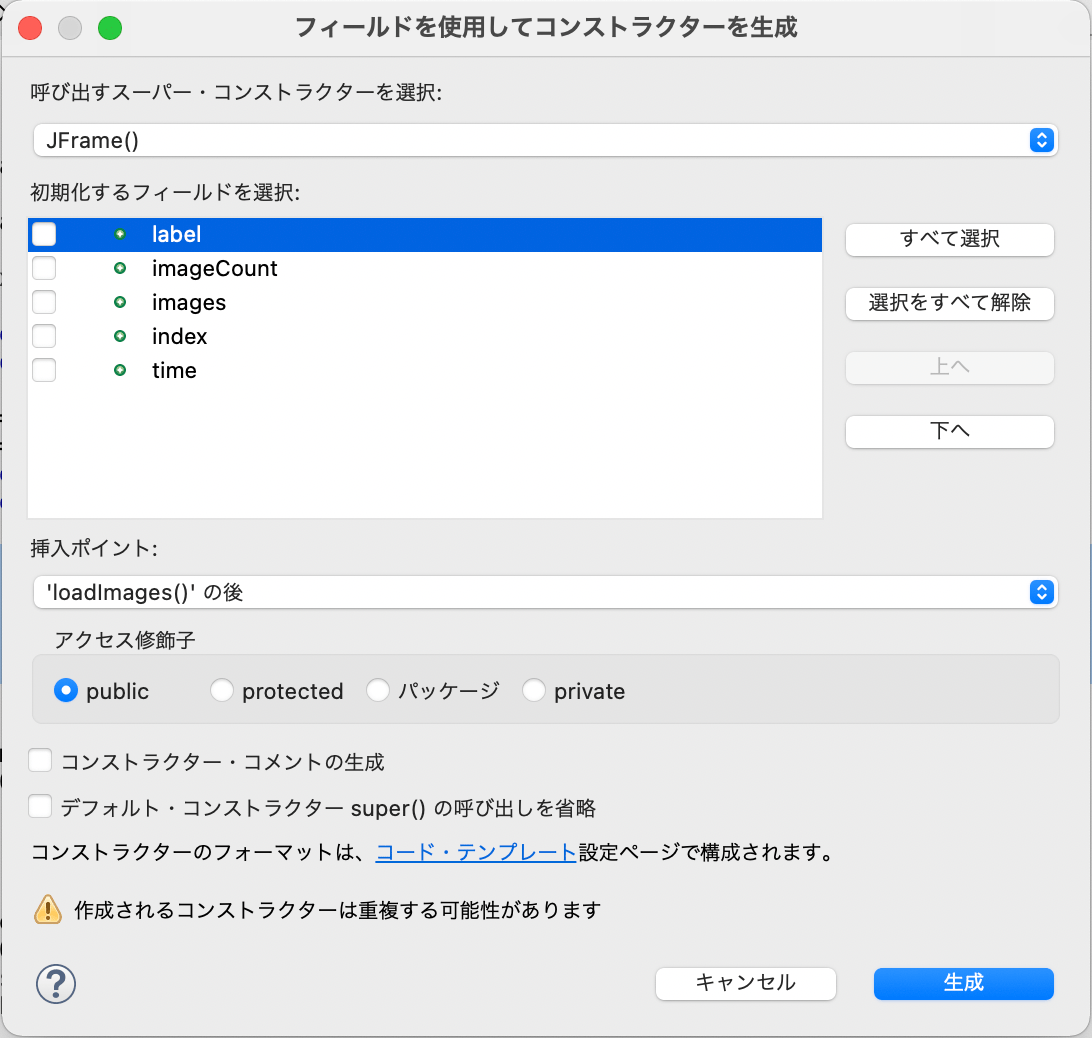
コンストラクタを生成したら、画像初期化とフレーム作成を実行します。
Window.java
	public Window() {
		super();

		loadImages();
		createWindow();
	}
画像読み込み処理
ラベルに指定したインデックスで画像を読み込み、インクリメントします。最後の画像になったらインデックスを「0」に戻します。
Window.java
	public void animate() {
		label.setIcon(images[index]);
		index++;
		//最後の画像だったらインデックス0
		if (index >= images.length) index = 0;
	}
タスク作成
AnimationTaskクラス作成
AnimationTask.javaを作成し、TimerTaskクラスを継承します。
AnimationTask.java
package school;

public class AnimationTask extends TimerTask {

}
フィールド追加
コンストラクタでWindowオブジェクトを受け取るよう、フィールドを追加します。
AnimationTask.java
public class AnimationTask extends TimerTask {
	public Window window;

    ....
}
コンストラクタ追加
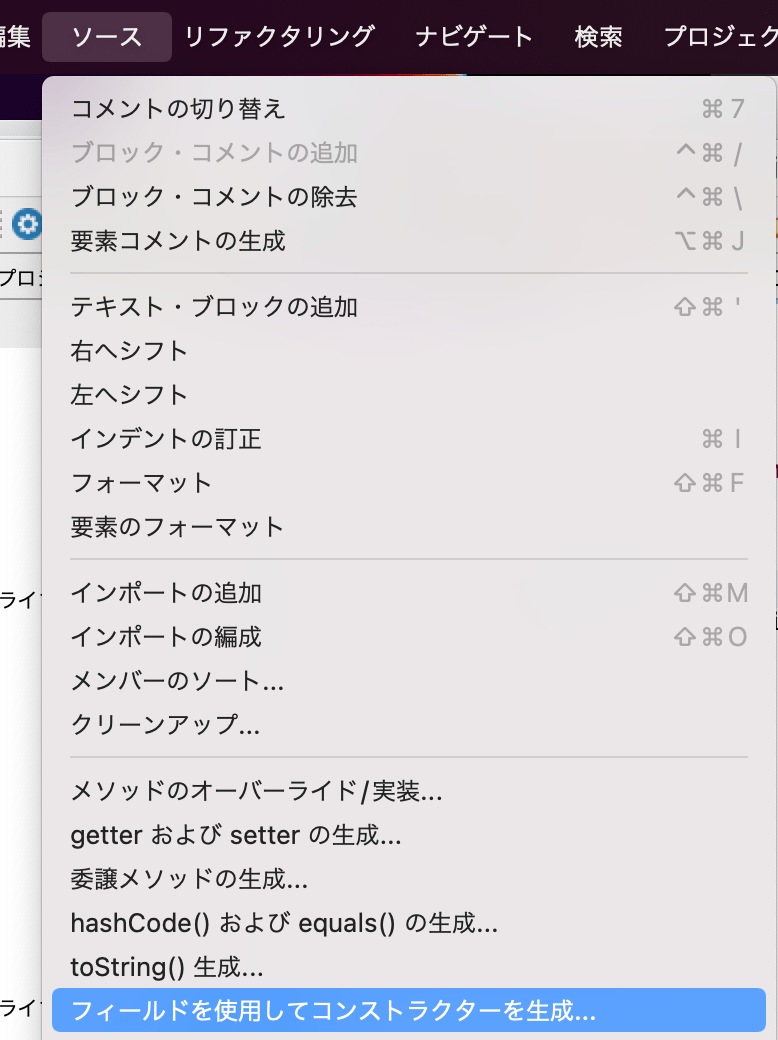
「ソース」メニューから「フィールドを使用してコンストラクタの生成...」を選択して、コンストラクタを作成します。
「window」フィールドを選択した状態で、コンストラクタを生成します。
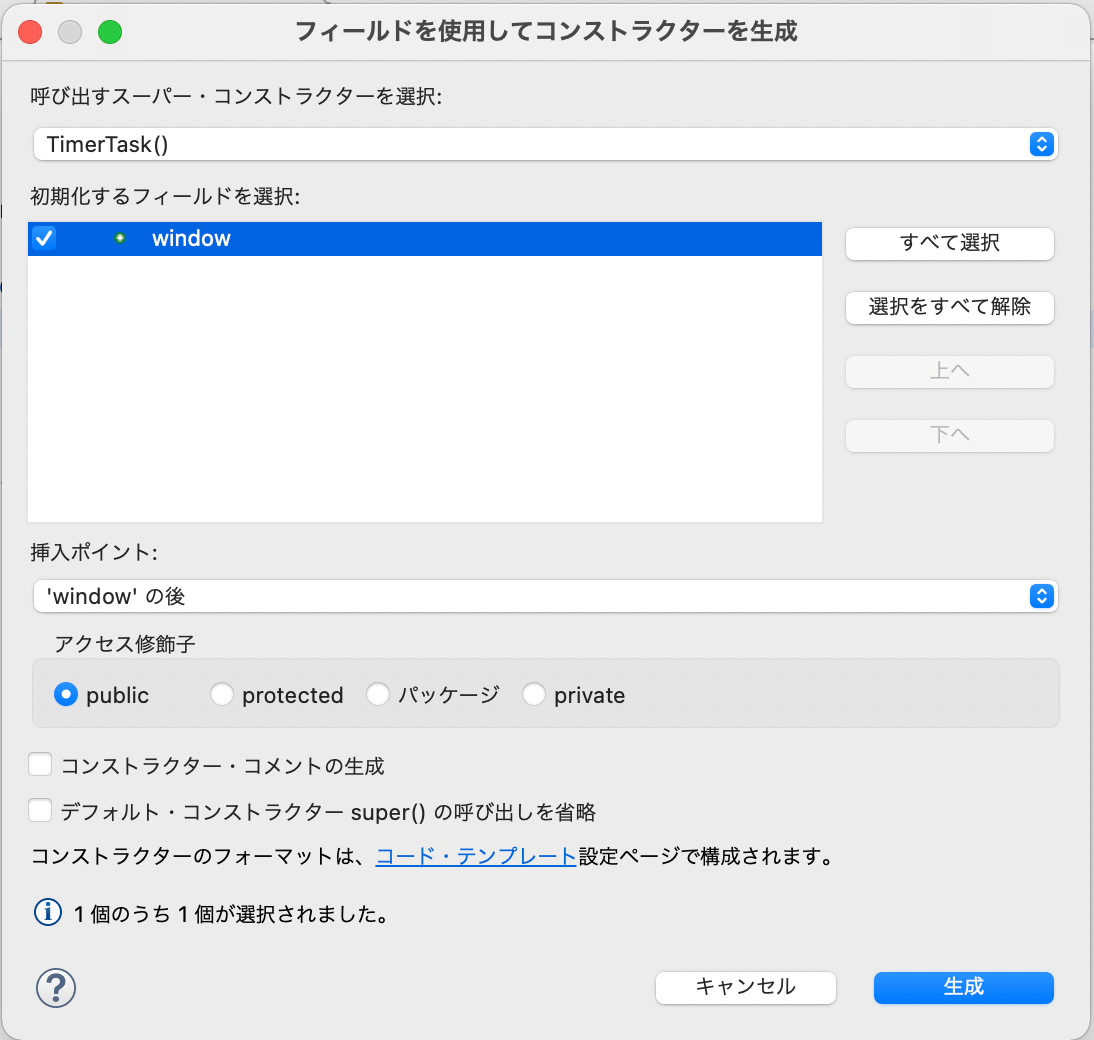
コンストラクタが生成されました。
public class AnimationTask extends TimerTask {
    ...
	public AnimationTask(Window window) {
		super();
		this.window = window;
	}
    ...
}
run() メソッドの実装
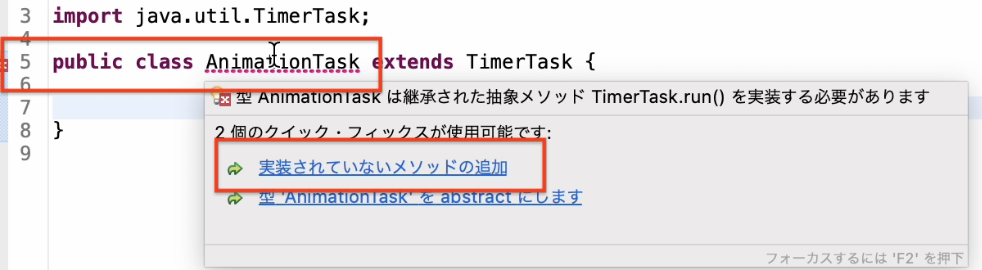
コンパイルエラーになるので、エラー部分をマウスオーバーして 【実装されていないメソッドの追加】でrun() メソッドを実装 します。
AnimationTask.java
public class AnimationTask extends TimerTask {

	@Override
	public void run() {
		window.animate();
	}

}
タイマー処理
Windowsクラスにタイマー処理を作成します。
Window.java
	public void startTimer() {
		Timer timer = new Timer(true);
		timer.schedule(new AnimationTask(this), 0, time);
	}
メイン処理
App.javaのメインメソッドで、Windowインスタンスを実行して確認してみましょう。
App.java
public class App {

	public static void main(String[] args) {
		Window window = new Window();
		window.startTimer();
	}

}
結果
ソース
App.java
package school;

public class App {

	public static void main(String[] args) {
		Window window = new Window();
		window.startTimer();
	}

}
Window.java
package school;

import java.util.Timer;

import javax.swing.ImageIcon;
import javax.swing.JFrame;
import javax.swing.JLabel;

public class Window extends JFrame {

	public JLabel label;
	public int imageCount = 6;
	public ImageIcon[] images = new ImageIcon[imageCount];
	public int index = 0;
	public long time = 500;
	final String IMAGE_PREFIX = "school-";
	final String IMAGE_EXT = ".jpg";

	public Window() {
		super();

		loadImages();
		createWindow();
	}

	public void loadImages() {
		for (int i = 0; i < images.length; i++) {
            String path = "./images/" + IMAGE_PREFIX + (i + 1) + IMAGE_EXT;
			images[i] = new ImageIcon(path);
		}
	}

	public void createWindow() {
		setBounds(0, 0, 1000, 1000);
		setDefaultCloseOperation(EXIT_ON_CLOSE);
		label = new JLabel();
		add(label);
		setVisible(true);
	}

	public void startTimer() {
		Timer timer = new Timer(true);
		timer.schedule(new AnimationTask(this), 0, time);
	}

	public void animate() {
		label.setIcon(images[index]);
		index++;
		if (index >= images.length) index = 0;
	}
}
AnimationTask.java
package school;

import java.util.TimerTask;

public class AnimationTask extends TimerTask {

	public Window window;

	public AnimationTask(Window window) {
		super();
		this.window = window;
	}

	@Override
	public void run() {
		window.animation();
	}

}
コース内レッスン
- 1
Lesson 1
Javaとは
レッスンを見る - 2
Lesson 2
Eclipseのインストールと設定
レッスンを見る - 3
Lesson 3
プロジェクト作成と実行
レッスンを見る - 4
Lesson 4
Javaの基本とクラス
レッスンを見る - 5
Lesson 5
変数
レッスンを見る - 6
Lesson 6
データ型とリテラル
レッスンを見る - 7
Lesson 7
演算
レッスンを見る - 8
Lesson 8
論理演算
レッスンを見る - 9
Lesson 9
条件分岐
レッスンを見る - 10
Lesson 10
配列
レッスンを見る - 12
Lesson 12
繰り返し(for)
レッスンを見る - 13
Lesson 13
繰り返し(while)
レッスンを見る - 14
Lesson 14
staticメソッド
レッスンを見る - 15
Lesson 15
オブジェクト指向とクラス
レッスンを見る - 16
Lesson 16
フィールド
レッスンを見る - 17
Lesson 17
インスタンスメソッド
レッスンを見る - 18
Lesson 18
コンストラクタ
レッスンを見る - 19
Lesson 19
継承
レッスンを見る - 20
Lesson 20
パッケージ
レッスンを見る - 21
Lesson 21
ポリモーフィズム
レッスンを見る - 22
Lesson 22
Collection
レッスンを見る - 23
Lesson 23
Map
レッスンを見る - 24
Lesson 24
イテレータ
レッスンを見る - 25
Lesson 25
Enum
レッスンを見る - 26
Lesson 26
アクセス修飾子
レッスンを見る - 27
Lesson 27
カプセル化
レッスンを見る - 28
Lesson 28
抽象クラス
レッスンを見る - 29
Lesson 29
インターフェイス
レッスンを見る - 30
Lesson 30
例外処理
レッスンを見る - 31
Lesson 31
エラーハンドリング
レッスンを見る - 32
Lesson 32
Thread
レッスンを見る - 34
Lesson 34
タイマー処理
レッスンを見る - 35
Lesson 35
Swing
レッスンを見る - 36
Lesson 36
じゃんけんアプリ
レッスンを見る - 37
Lesson 37
アニメーションアプリ
レッスンを見る