はじめに
users テーブルをレコード検索して、アカウント名とパスワードでログイン認証を実装します。
ファイル構成
php_sns/
├── app/
│        └── models/
│                ├── AuthUser.php
│                └── User.php
├── lib/
│        ├── Database.php
│        ├── Model.php
│        └── Sanitize.php
├── signin/
│        ├── auth.php
│        ├── index.php
│        └── input.php
├── home/
│        └── index.php
├── signout/
│        └── index.php
├── app.php
└── env.php
ルーティング一覧
| ページ | エンドポイント | ファイル | メソッド |
|---|---|---|---|
| トップページ | / | index.php | GET |
| About | /about/ | about/index.php | GET |
| ログイン(リセット) | /signin/ | signin/index.php | GET |
| ログイン入力 | /signin/input.php | signin/input.php | GET |
| ログイン認証 | /signin/auth.php | signin/auth.php | POST |
| ログアウト | /signout/ | signout/index.php | GET |
| マイページ | /home/ | home/index.php | GET |
トップページ
signin/index.php にアクセスしたら、前回のサインイン入力データをセッションから削除して、サインイン画面 signin/input.php にリダイレクトします。
signin/index.php
<?php
require_once "../app.php";

if (isset($_SESSION[APP_KEY]['signin'])) {
    unset($_SESSION[APP_KEY]['signin']);
}
// サインイン入力画面にリダイレクト
header('Location: input.php');
サインイン画面
入力フォーム
signin/input.php でサインインフォームを作成します。
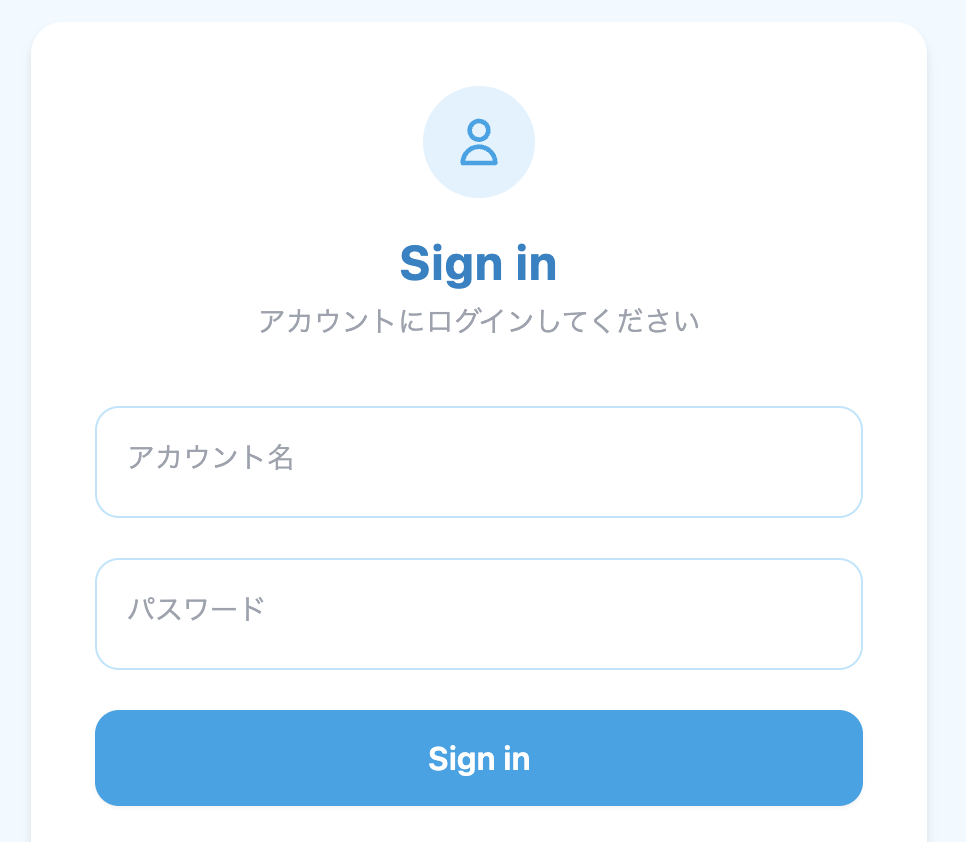
signin/input.php
<?php
// 共通アプリファイル読み込み
require_once "../app.php";
// TODO: 前回の入力値を復元
$form = null;
// TODO: エラーメッセージを復元
$error = null;
// TODO: フラッシュメッセージとして削除

?>
<!DOCTYPE html>
<html lang="ja">
<?php include COMPONENT_DIR . 'head.php' ?>
<body class="bg-sky-50 min-h-screen">
    <?php include COMPONENT_DIR . 'nav.php'; ?>
    <main class="flex flex-col justify-center items-center min-h-[calc(100vh-64px)] px-4">
        <div class="w-full max-w-md bg-white rounded-2xl shadow-md p-8">
            <h2 class="text-2xl font-bold text-sky-600 text-center">Sign in</h2>
            <form action="auth.php" method="post" class="space-y-5">
                <div class="relative">
                    <input type="text" name="account_name" id="account_name"
                        value="<?= $form['account_name'] ?? '' ?>"
                        placeholder=" " required>
                    <label for="account_name">アカウント名</label>
                </div>
                <div class="relative">
                    <input type="password" name="password" id="password"
                        placeholder=" " required>
                    <label for="password">パスワード</label>
                </div>
                <button id="submit_button">Sign in</button>
            </form>
        </div>
    </main>
</body>
</html>
入力データ取得
signin/auth.php で認証前に、アカウント名とパスワードを取得をします。
POSTデータをセッションに登録
認証失敗時に入力値を復元できるよう、POSTデータをセッションに保存します。
signin/auth.php
<?php
require_once '../app.php';

// POSTリクエストでなければ何も表示しない
if ($_SERVER['REQUEST_METHOD'] !== 'POST') {
    exit;
}
// POSTデータをセッションに登録
$_SESSION[APP_KEY]['signin'] = $_POST;
アカウント名・パスワード取得
// 入力されたアカウント名とパスワードを取得
$account_name = $_POST['account_name'];
$password = $_POST['password'];
認証処理の準備
アカウント名でユーザを検索し、見つかったらパスワードのハッシュ検証をします。
認証処理は再利用できるように User モデル app/models/User.php で処理します。
認証メソッド
User モデルの auth() メソッドでユーザ認証を実行します。引数はアカウント名とパスワードです。
public function auth($account_name, $password)
{
}
アカウント名検索
アカウント名でユーザをDB検索します。
public function auth($account_name, $password)
{
    $sql = "SELECT * FROM users WHERE account_name = :account_name";
    $stmt = $this->pdo->prepare($sql);
    $stmt->execute(['account_name' => $account_name]);
    $user = $stmt->fetch(PDO::FETCH_ASSOC);
}
パスワードハッシュ検証
ユーザが見つかったら、password_verify() でパスワードハッシュを検証します。
public function auth($account_name, $password)
{
    $sql = "SELECT * FROM users WHERE account_name = :account_name";
    $stmt = $this->pdo->prepare($sql);
    $stmt->execute(['account_name' => $account_name]);
    $user = $stmt->fetch(PDO::FETCH_ASSOC);
    // パスワードハッシュ検索
    if ($user && password_verify($password, $user['password'])) {
        return $user;
    }
}
認証処理の実行
サインインで処理
new User() で auth() を実行してユーザ認証を確認します。
signin/auth.php
// ユーザ認証: new User() で auth() を実行
$user = new User();
$auth_user = $user->auth($account_name, $password);
リダイレクト
認証が成功した場合は home/ に、失敗した場合はエラーメッセージをセッションに登録して signin/input.php にリダイレクトします。
signin/auth.php
<?php
// 共通ファイル app.php を読み込み
require_once '../app.php';

use App\Models\AuthUser;
use App\Models\User;

// POSTリクエストでなければ何も表示しない
if ($_SERVER['REQUEST_METHOD'] !== 'POST') {
    exit;
}

// セッションにPOSTデータを登録
$_SESSION[APP_KEY]['signin'] = null;

// 入力されたアカウント名とパスワードを取得
$account_name = $_POST['account_name'];
$password = $_POST['password'];

// ユーザ認証: new User() で auth() を実行
$user = new User();
// アカウント名とパスワードを渡して、認証処理
$auth_user = $user->auth($account_name, $password);

if (empty($auth_user['id'])) {
    // エラーセッション
    $_SESSION[APP_KEY]['error'] = 'アカウント名またはパスワードが間違っています。';
    // ログイン失敗時はログイン入力画面にリダイレクト
    header('Location: ./input.php');
    exit;
} else {
    // 認証成功時はセッションにユーザデータを保存
    $_SESSION[APP_KEY]['auth_user'] = $auth_user;

    // ユーザトップページにリダイレクト: home/
    header('Location: ../home/');
    exit;
}
ホーム画面
ホーム画面の作成
home/index.php を作成します。
home/index.php
<?php
require_once '../app.php';
use App\Models\AuthUser;
?>
<!DOCTYPE html>
<html lang="ja">

<!-- コンポーネント: components/head.php -->
<?php include COMPONENT_DIR . 'head.php'; ?>

<body class="bg-sky-50 min-h-screen">
    <?php include COMPONENT_DIR . 'nav.php'; ?>

    <main>
    </main>
</body>
</html>
認証チェック
セッション $_SESSION[APP_KEY]['auth_user'] にユーザ情報があるかチェックします。ログインしていない場合は signin/ にリダイレクトします。
home/index.php
require_once '../app.php';

use App\Models\AuthUser;

// ログインユーザのセッション取得
$auth_user = $_SESSION[APP_KEY]['auth_user'];

// セッション(auth_user) からログインチェック
if (empty($auth_user)) {
    // ログインしていない場合はログイン画面にリダイレクト
    header('Location: ../signin/');
    exit;
}
?>
ユーザ情報表示
セッションから取得したユーザ情報を表示します。
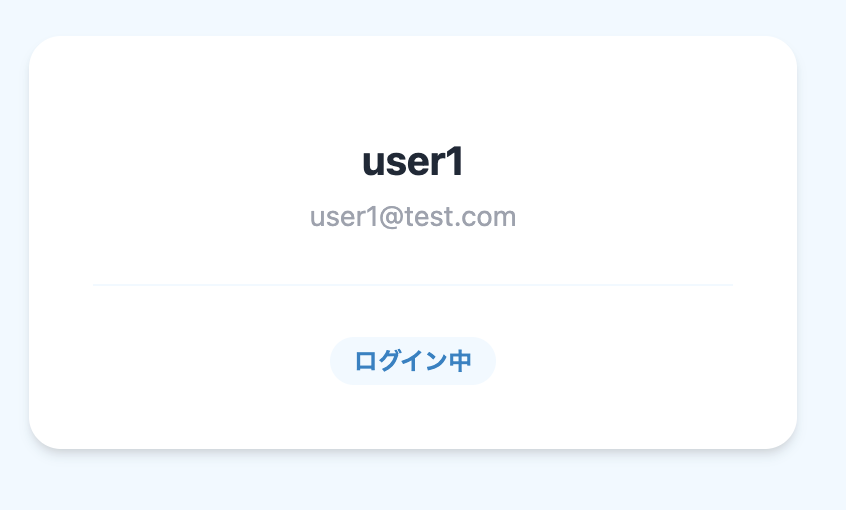
home/index.php
<?php
// 共通ファイル app.php を読み込み
require_once '../app.php';

use App\Models\AuthUser;

// ログインユーザのセッション取得
$auth_user = $_SESSION[APP_KEY]['auth_user'];

// セッション(auth_user) からログインチェック
if (empty($auth_user)) {
    // ログインしていない場合はログイン画面にリダイレクト
    header('Location: ../signin/');
    exit;
}
?>

<!DOCTYPE html>
<html lang="ja">

<!-- コンポーネント: components/head.php -->
<?php include COMPONENT_DIR . 'head.php'; ?>

<body class="bg-sky-50 min-h-screen">
    <?php include COMPONENT_DIR . 'nav.php'; ?>

    <main class="flex flex-col items-center min-h-[calc(100vh-64px)] px-4 pt-16">
        <div class="w-full max-w-sm bg-white rounded-2xl shadow-md p-8 text-center">

            <?php if ($auth_user['profile_image']): ?>
                <div class="mb-2">
                    <img id="user-image" src="<?= $auth_user['profile_image'] ?>"
                        class="w-28 h-28 object-cover rounded-full mx-auto ring-4 ring-sky-100">
                </div>
            <?php endif ?>

            <h2 class="text-xl font-bold text-gray-800 mt-4">
                <?= htmlspecialchars($auth_user['account_name']) ?>
            </h2>
            <p class="text-sm text-gray-400 mt-1"><?= htmlspecialchars($auth_user['email']) ?></p>

            <div class="mt-6 pt-6 border-t border-sky-50">
                <span class="inline-block px-3 py-1 text-xs font-semibold text-sky-600 bg-sky-50 rounded-full">
                    ログイン中
                </span>
            </div>

        </div>
    </main>

</body>

</html>
サインアウト
サインアウト処理
signout/index.php で AuthUser::clear() を呼び出し、セッションのユーザ情報を削除してサインイン画面にリダイレクトします。
signout/index.php
<?php
require_once '../app.php';
use App\Models\AuthUser;

// セッションのユーザ情報を削除
AuthUser::clear();

// サインイン画面にリダイレクト
header('Location: ../signin/');
サインアウトの確認
サインアウトできるか確認します。また、サインアウト後は home/index.php にアクセスできないことを確認しましょう。
セッション復元
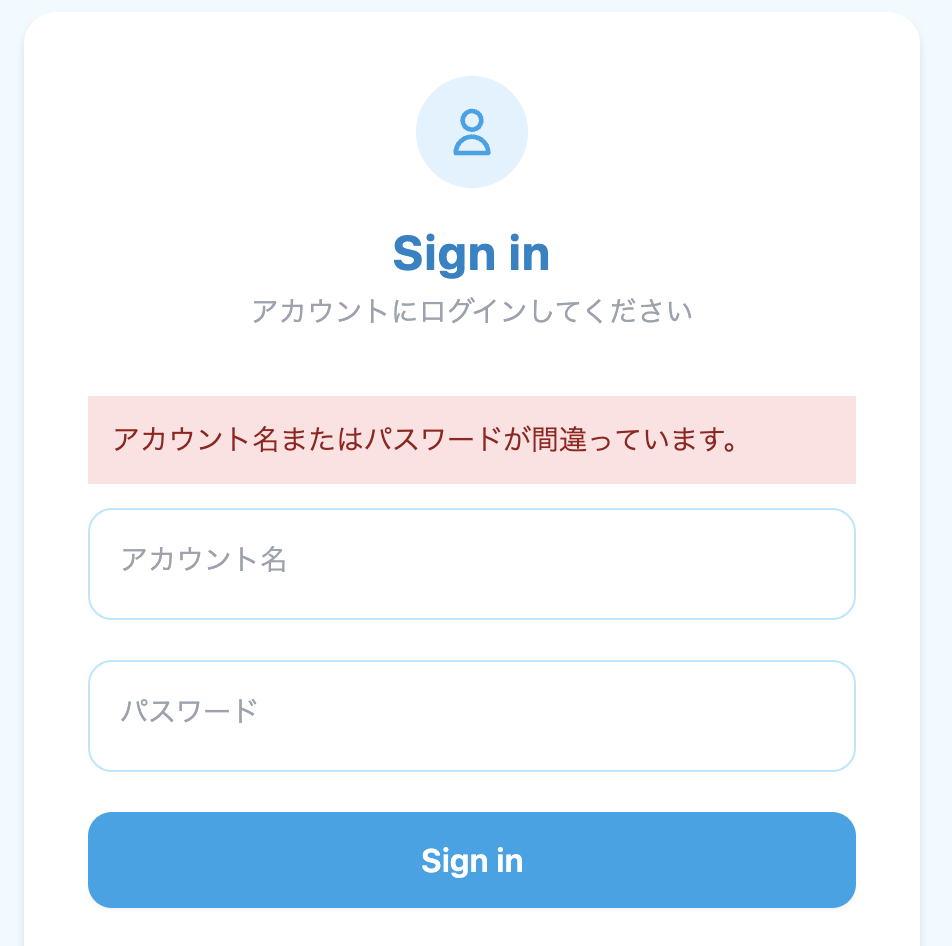
サインイン失敗時に前回の入力値とエラーメッセージを表示するため、signin/input.php のセッション取得部分を完成させます。
signin/input.php
<?php
require_once "../app.php";
// 前回の入力値を復元: signin
$form = $_SESSION[APP_KEY]['signin'] ?? null;
// エラーメッセージを復元: error
$error = $_SESSION[APP_KEY]['error'] ?? null;
// フラッシュメッセージとして削除(表示後は不要なため)
unset($_SESSION[APP_KEY]['error']);
?>
フォームの value にセッションから復元した入力値を表示します。
<input type="text" name="account_name" id="account_name"
    value="<?= $form['account_name'] ?? '' ?>" ...>
認証失敗時にエラーメッセージが表示され、アカウント名の入力値が保持されていることを確認しましょう。